Access Points
Learn how to place and configure access points for optimal WiFi coverage.
We have top 50 access point models in our database and we keep adding to the list.
Manual Placement
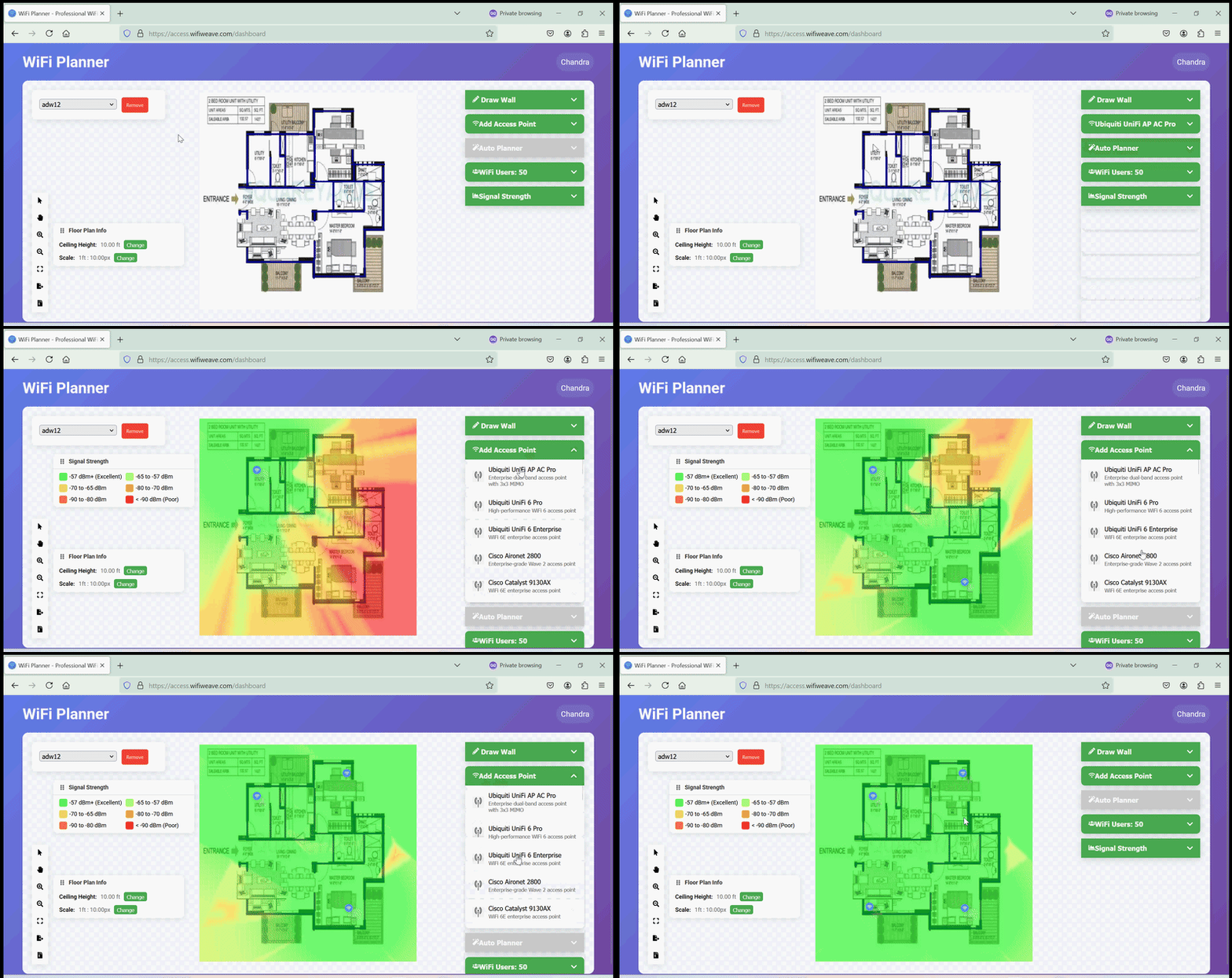
To place an access point:
- Select an AP model from the menu
- Click on the floor plan to place
- Adjust position by dragging
- Configure AP frequency
Auto-Planning
Premium Feature
Automatic access point planning is available with Premium subscription.
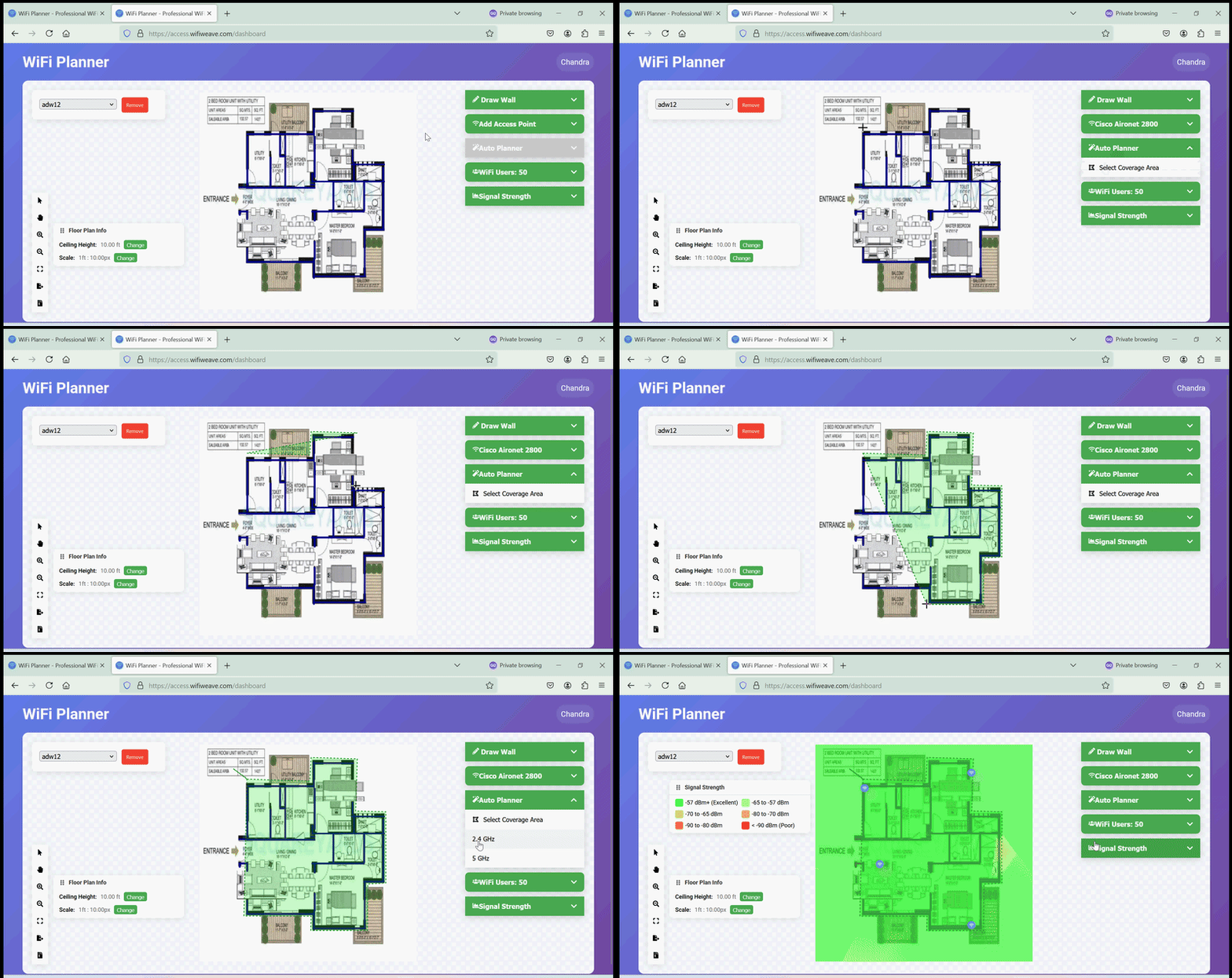
Auto Planner Steps
- Select the access point you want to use for auto planning
- Click "Select Coverage Area"
- Click points to create boundary
- Double-click to complete area
- Click on the frequency band you want to use
- Based on the selected frequency band, the planner will calculate with number of access points required to cover the area with the best signal strength and coverage and place the access points on the floor plan.
Pro Tip
For high-density areas, use network capacity visualization to ensure adequate bandwidth for all clients.
Best Practices
Placement Guidelines
- Mount APs at ceiling height
- Avoid metal obstacles
- Space APs for optimal coverage
- Consider user density
Channel Planning
- Use non-overlapping channels
- Prefer 5/6 GHz where possible
- Plan for channel reuse
- Monitor interference