Auto planner
Automatic placement: you define the area and the target, it decides the count and the positions.
How do I run an AI planning run?
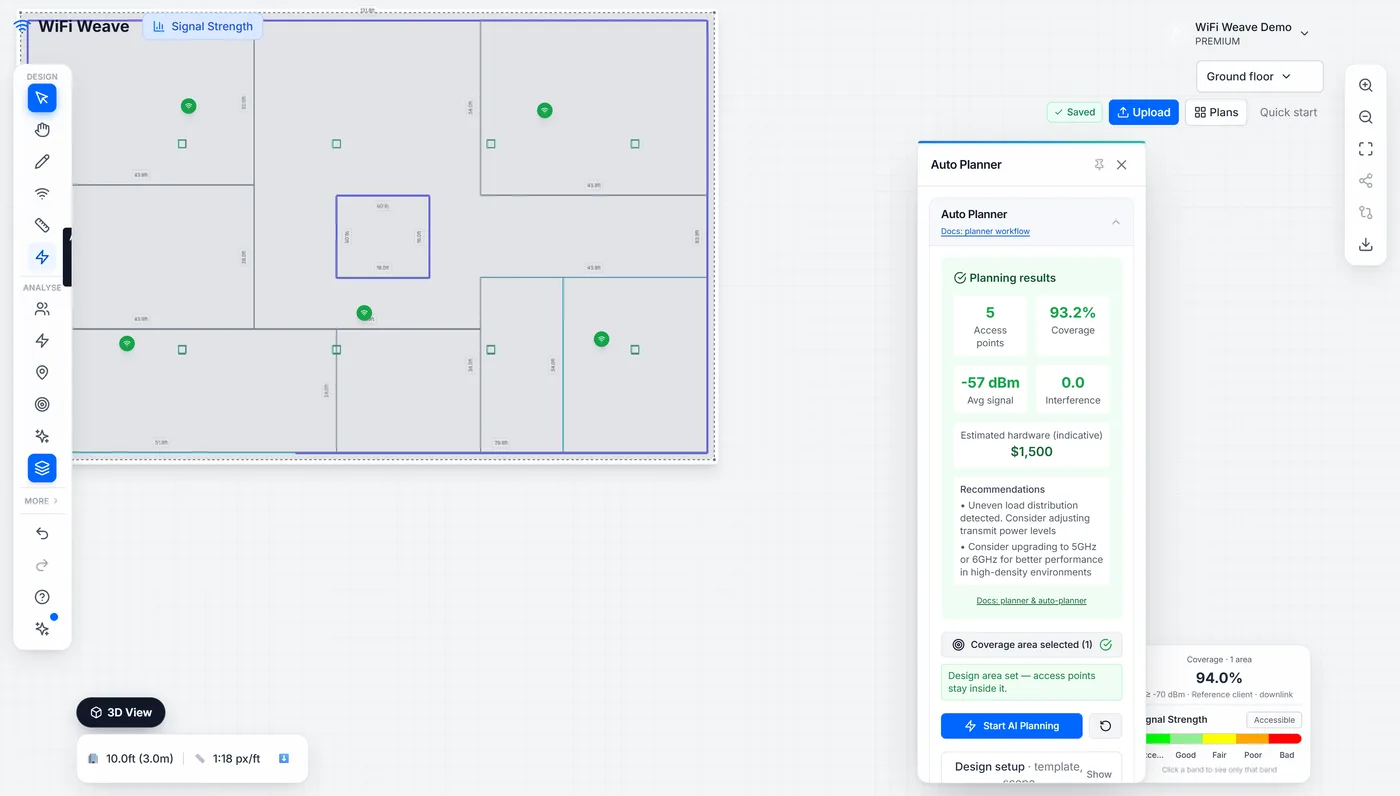
The quickest way is Design it for me, which a plan with no access points offers over the canvas: it runs the planner over the whole floor with sensible targets. For control over the area and the targets, use the panel:
- Open Auto Planner. Results sit at the top; the targets are under Design setup (template and scope).
- Click Draw zone on plan, then click at least three corners of the area that needs coverage and double-click to close it. On an image plan, Use the drawing outline as the coverage area in the wall detector does this for you.
- Set your targets — minimum signal strength, user count and density, or a target access point count if you already know it.
- Click Start AI Planning. A floor takes roughly 15-40 seconds.
A result card over the plan reports the access points placed, the coverage achieved and the average signal, with one-click Undo (Ctrl+Z also works). If access points were placed by hand first, the planner says it will replace them before it runs.
Why does the planner sometimes add an extra access point?
If the first solution misses the coverage target, the planner retries with one and then two extra access points and keeps the better result. It is choosing between "the count you asked for" and "the coverage you asked for", and it tells you which it landed on.
Does it spread access points evenly?
Yes — placement scores load evenness as well as coverage, and enforces a minimum spacing derived from the floor area, so you get one access point per area rather than clusters that overlap each other.
Common questions
Why is the Start button disabled?
A coverage area is required. Draw at least one zone on the plan first — the button enables once a completed zone exists.
Does an AI planning run count against the free plan?
Yes. The free plan includes 3 AI planning runs; the Pro trial and the Pro plan are unlimited.