Wired network
A wireless design is not finished until you know what it plugs into.
How do I plan the switches for a Wi-Fi design?
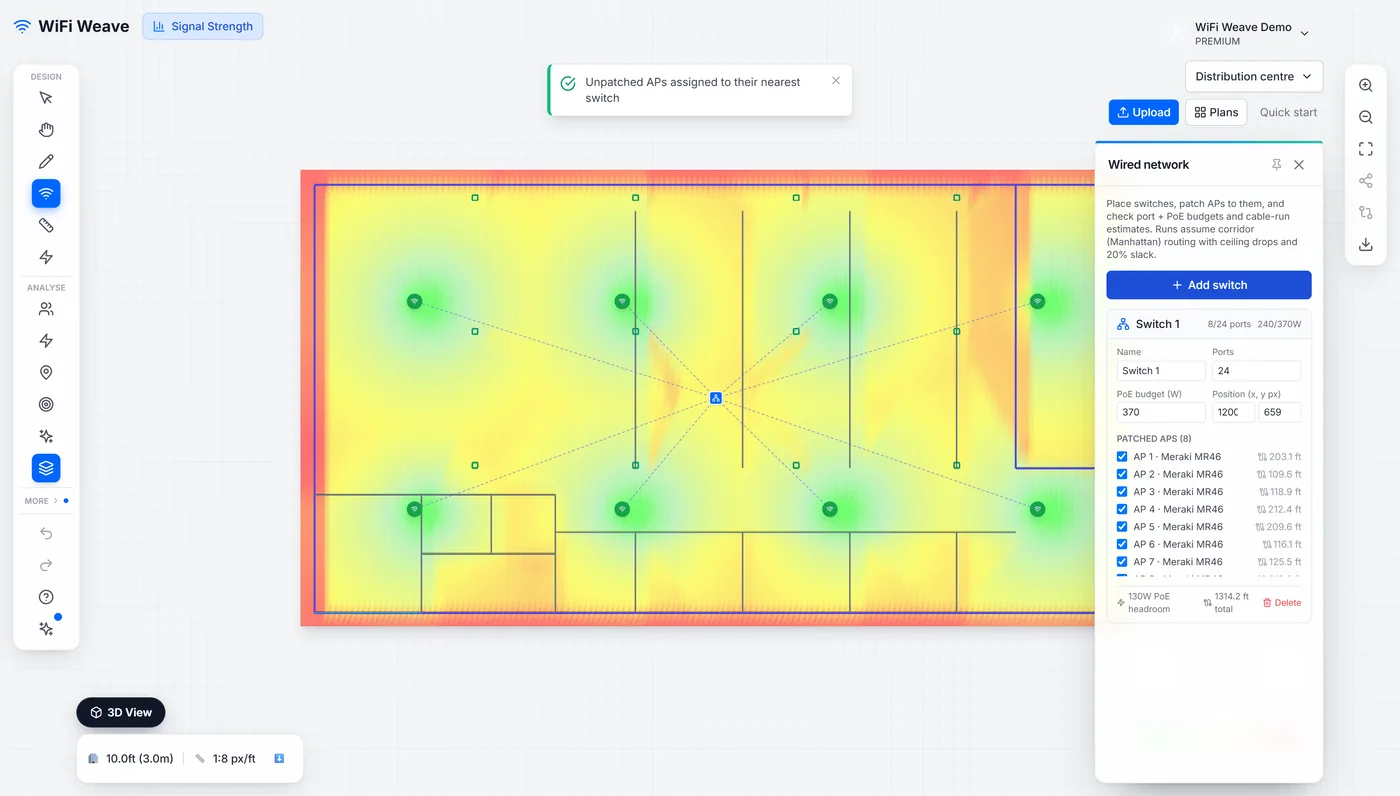
- Open Wired network and add a switch, then set its name, port count, PoE budget and position on the plan.
- Click Auto-assign to patch every unassigned access point to its nearest switch.
- Read the budgets: ports used against ports available, and watts drawn against the switch PoE budget.
- Check the cable runs. Anything over the Cat6 limit is flagged — add a closer switch and move those access points to it.
How are cable runs estimated?
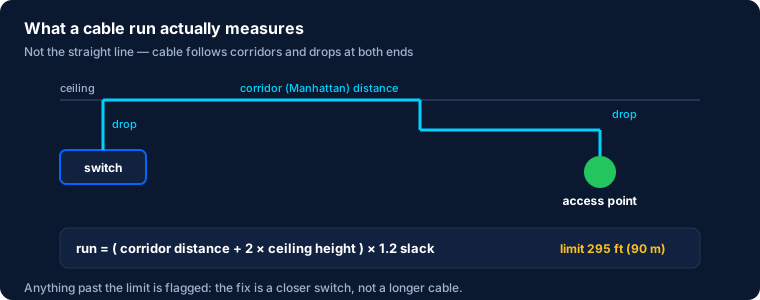
As corridor (Manhattan) distance from switch to access point, plus a ceiling drop at each end, plus 20% slack — then compared against the 295 ft (90 m) Cat6 channel limit.
How much PoE does an access point draw?
WiFi Weave uses the draw for the access point's own Wi-Fi generation, so the budget reflects the hardware you specified.
| Wi-Fi generation | Assumed PoE draw | PoE standard |
|---|---|---|
| Wi-Fi 7 (802.11be) | 30 W | 802.3bt |
| Wi-Fi 6E | 30 W | 802.3bt |
| Wi-Fi 6 (802.11ax) | 25 W | 802.3at |
| Wi-Fi 5 (802.11ac) and older | 20 W | 802.3at |
Common questions
What happens if a cable run is too long?
The run is flagged in red and the panel tells you to add an IDF closer to those access points. Copper stops being in spec at 295 ft (90 m) including patch leads and slack.
Can I export the wired design?
Yes — the bill of materials includes each switch with the access points and watts it carries, plus total cabling including slack. See exports.