Working as a team
Wi-Fi projects are rarely a one-person job.
How do I share a design with a colleague?
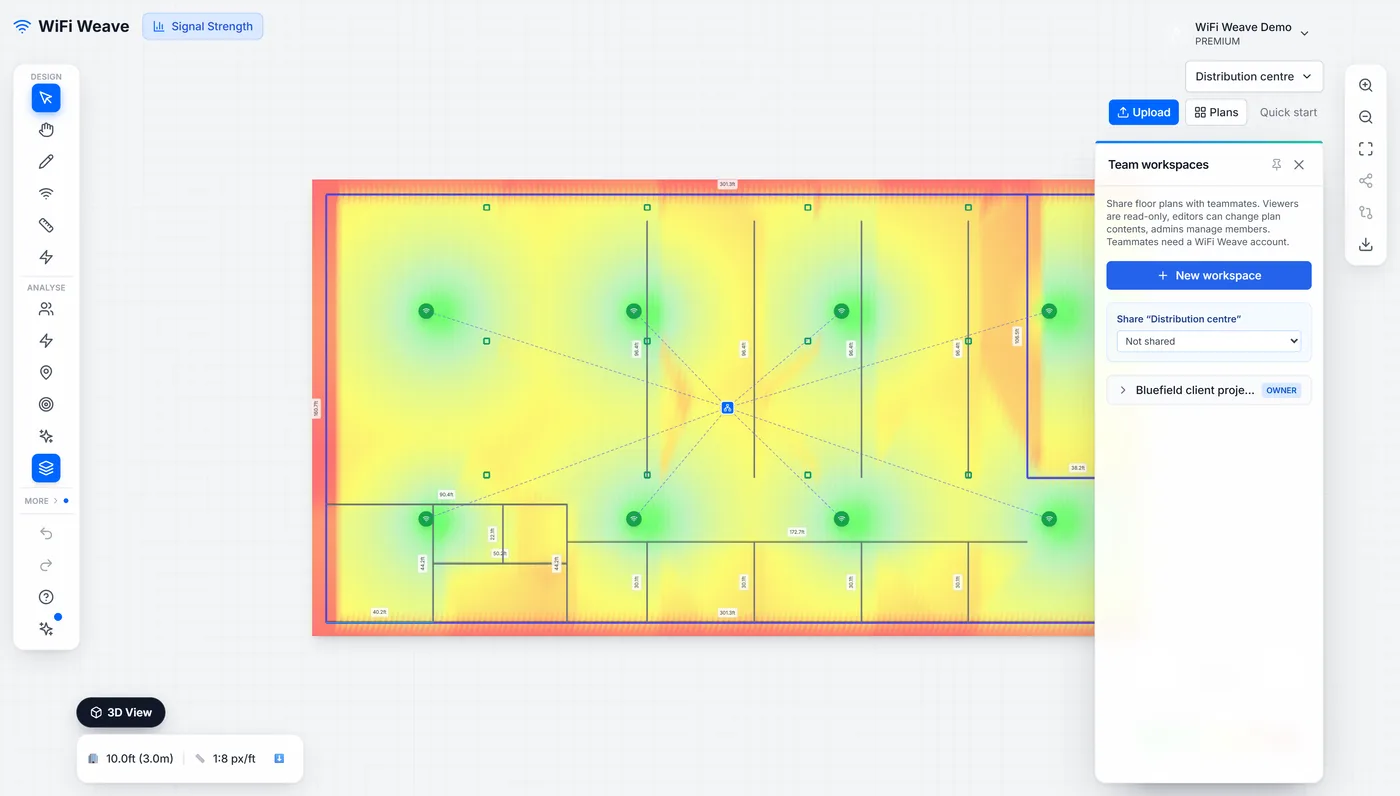
Create a team workspace, share the floor plan into it, and invite the person by email as a viewer, editor or admin. Someone without an account gets a single-use invite link valid for seven days.
| Role | Can do |
|---|---|
| Viewer | Open and look |
| Editor | Change the design |
| Admin | Manage members as well |
How do I send a design to a client?
Use a read-only share link. It needs no account, can be password protected, and expires on the schedule you choose — 24 hours, 7 days or 30 days. The link opens a live viewer, not a picture: the client can pan and zoom, click an access point for its details, and switch between the Signal and SNR heatmaps.
Can two people edit the same plan at once?
Yes. Open the same plan as a teammate and you see each other's presence on the canvas, and every save syncs to everyone on the plan within seconds. Editors co-edit; viewers watch.
Can I undo a change someone else made?
Yes. Version history saves named versions and restores any of them, which is the safety net for a shared plan.
Common questions
Which plans include collaboration?
Team workspaces are available on every plan. Share links, plan comments and version history are included on the MSP plan.