Mesh and bridges
Where there is no cable, and there is not going to be one.
How do I plan a mesh access point?
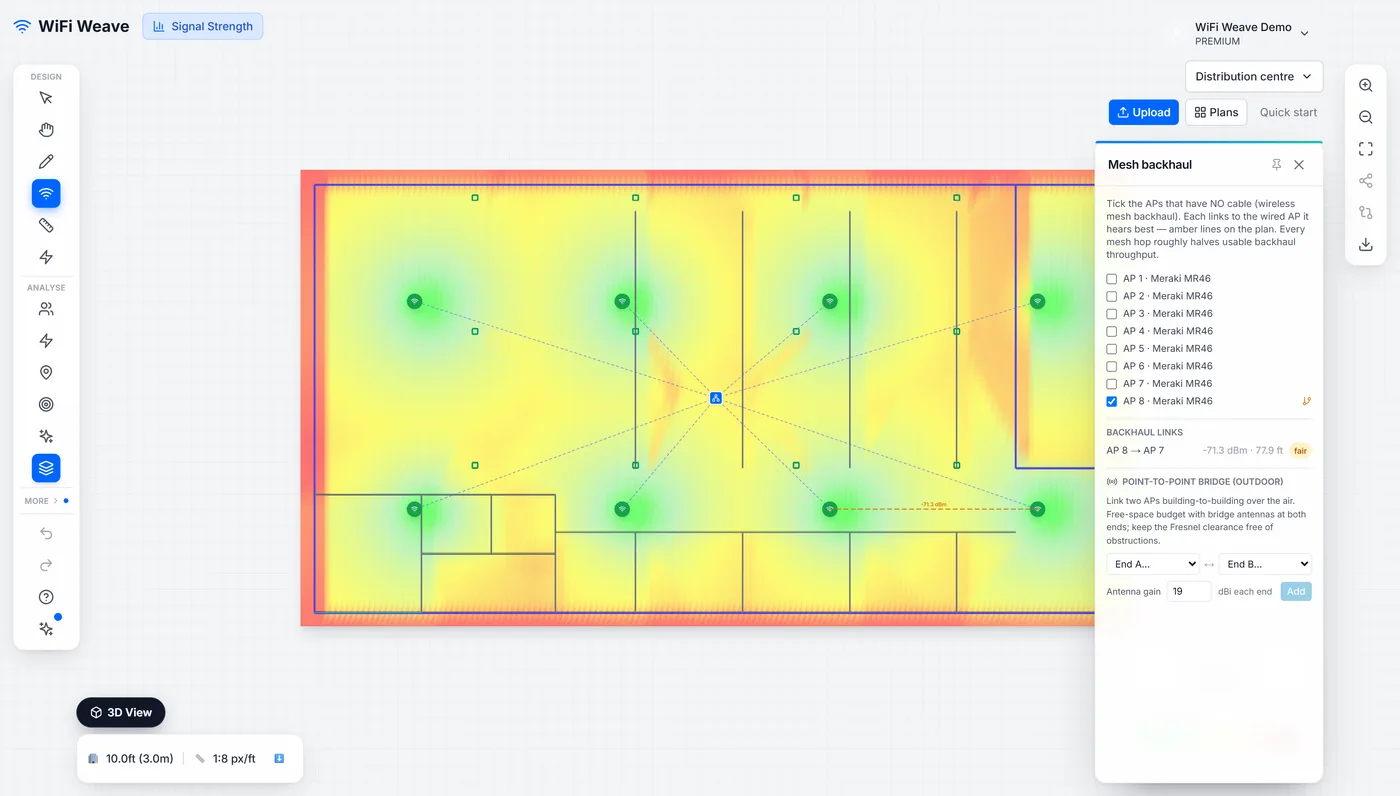
Tick the access points that have no cable. Each one links to the wired access point it hears best, and the panel reports the link signal, distance, walls crossed and a grade — good, fair or poor — with the link drawn on the plan.
| Link signal | Grade | Meaning |
|---|---|---|
| −65 dBm or better | Good | Solid backhaul |
| −75 to −65 dBm | Fair | Workable; expect the hop to cost throughput |
| Below −75 dBm | Poor | Not a backhaul; move it closer or remove walls |
When should I use a bridge instead of mesh?
When the gap is outdoors or too far for a mesh link — typically building to building. A point-to-point bridge with directional antennas at both ends crosses distances that mesh cannot, and the panel gives the link signal, the distance, and the Fresnel clearance to keep free at the midpoint.
What is Fresnel clearance and why does it matter?
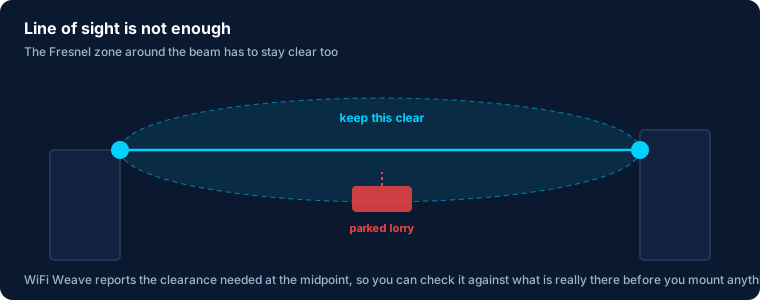
It is the elliptical volume around the line of sight that has to stay clear for the link to perform. The panel states how much clearance is needed at the midpoint; a parked lorry or a growing tree inside that volume is a network outage waiting to happen.
Common questions
Can a mesh access point hang off a bridged one?
Yes. A bridged access point is a wired root as far as the mesh planner is concerned, so the far end of a bridge can carry mesh access points of its own.