Requirement compliance
Coverage percentage is one number. Compliance is pass or fail, per requirement, across the floor.
What does requirement compliance check?
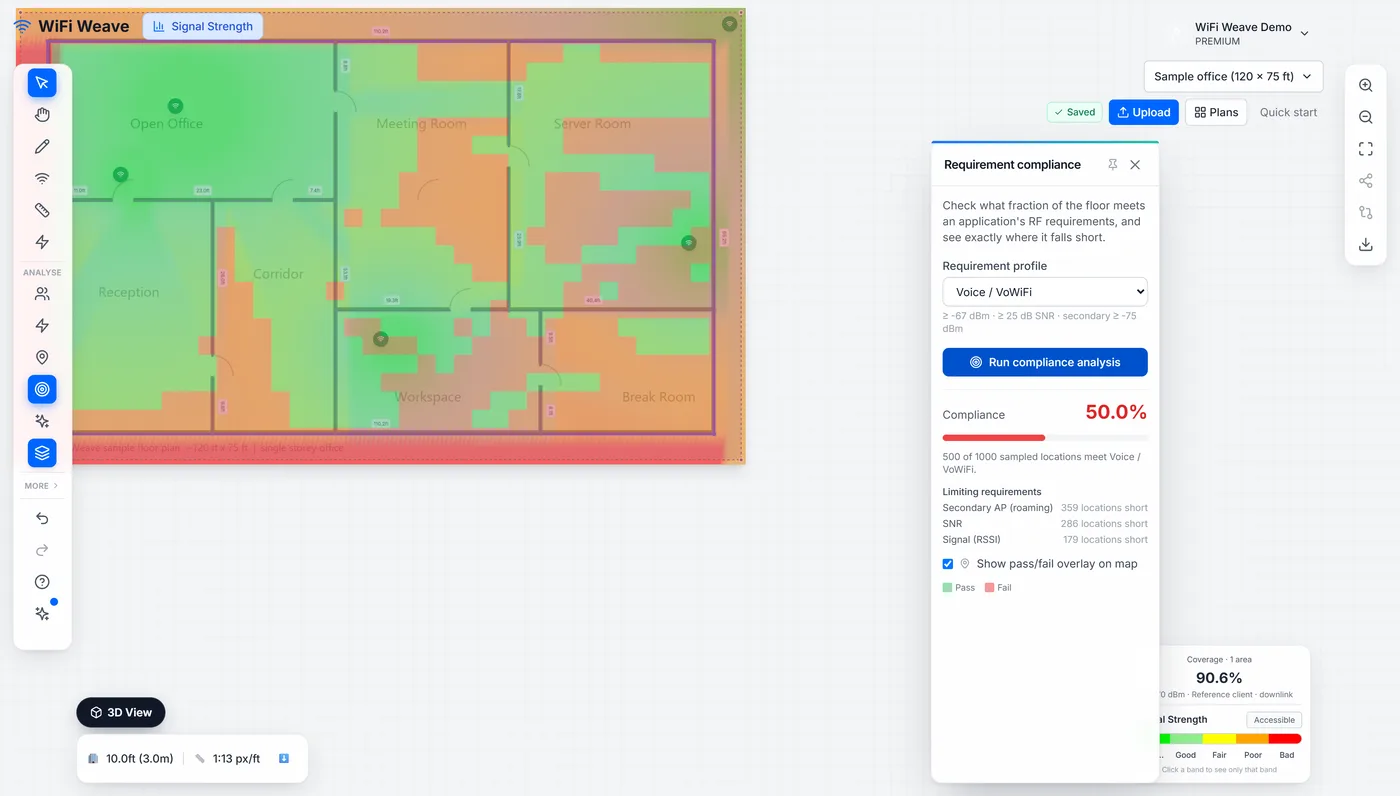
It grades every point on the floor against a requirement profile — minimum signal, SNR, data rate, and the number of access points that must be audible — and reports the percentage of the floor that passes, with the failing areas drawn as an overlay.
Voice profiles are stricter than data profiles, which is why a design can be at 99% coverage and still fail a voice requirement badly. These are the built-in profiles; each threshold can be tuned per project.
| Profile | Min signal | Min SNR | Also requires |
|---|---|---|---|
| Voice / VoWiFi | −67 dBm | 25 dB | Second AP at −75 dBm or better |
| High-density data | −65 dBm | 25 dB | 144 Mbps data rate |
| Standard data | −70 dBm | 20 dB | — |
| Location services (RTLS) | −70 dBm | — | Three APs audible, second at −75 dBm |
| Basic coverage | −75 dBm | 15 dB | — |
What does "Floors above and below" check?
For a plan that belongs to a building, compliance also reports how much of the floor hears an access point on another floor more strongly than its own, and how much more is within a few dB of that. Clients in those areas associate with the wrong floor and roam late; the planning assistant recommends the fix, usually lower power on the offending floor or an access point moved away from the slab edge.
What does the 3D view add?
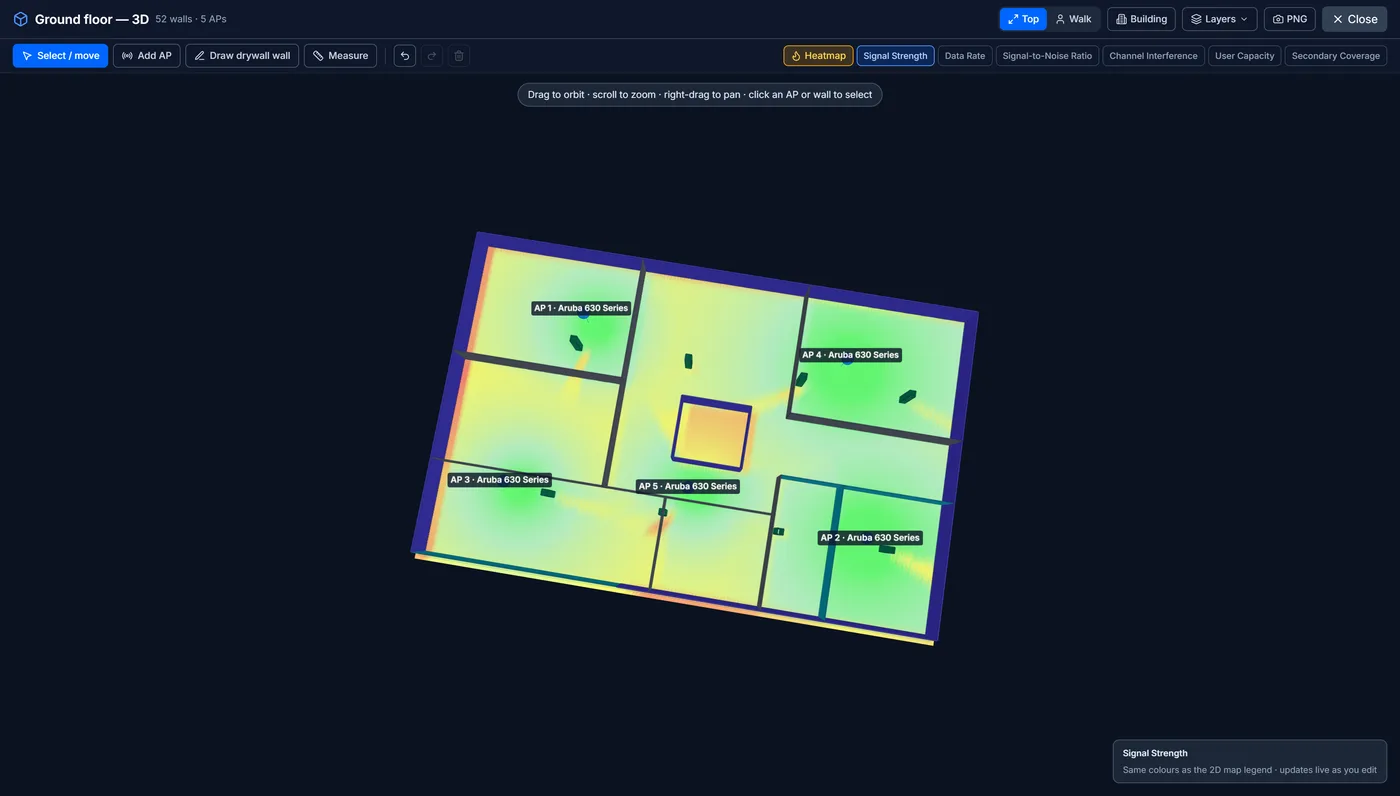
It shows the prediction as a surface over the building, floor by floor, including coverage bleeding between floors when stacking is enabled — which is how you spot a floor being covered from above rather than by its own access points.
Common questions
Why does my design pass for data and fail for voice?
Voice requires a stronger signal, a better SNR and a second audible access point for roaming. A data-grade design routinely meets none of those at the cell edge.